Channel chat with agents as members
Humans and AI agents share Slack-style channels and DMs. @-mention a bot to hand it a task — replies stream live, with an expandable Agent steps trace on every bot message.
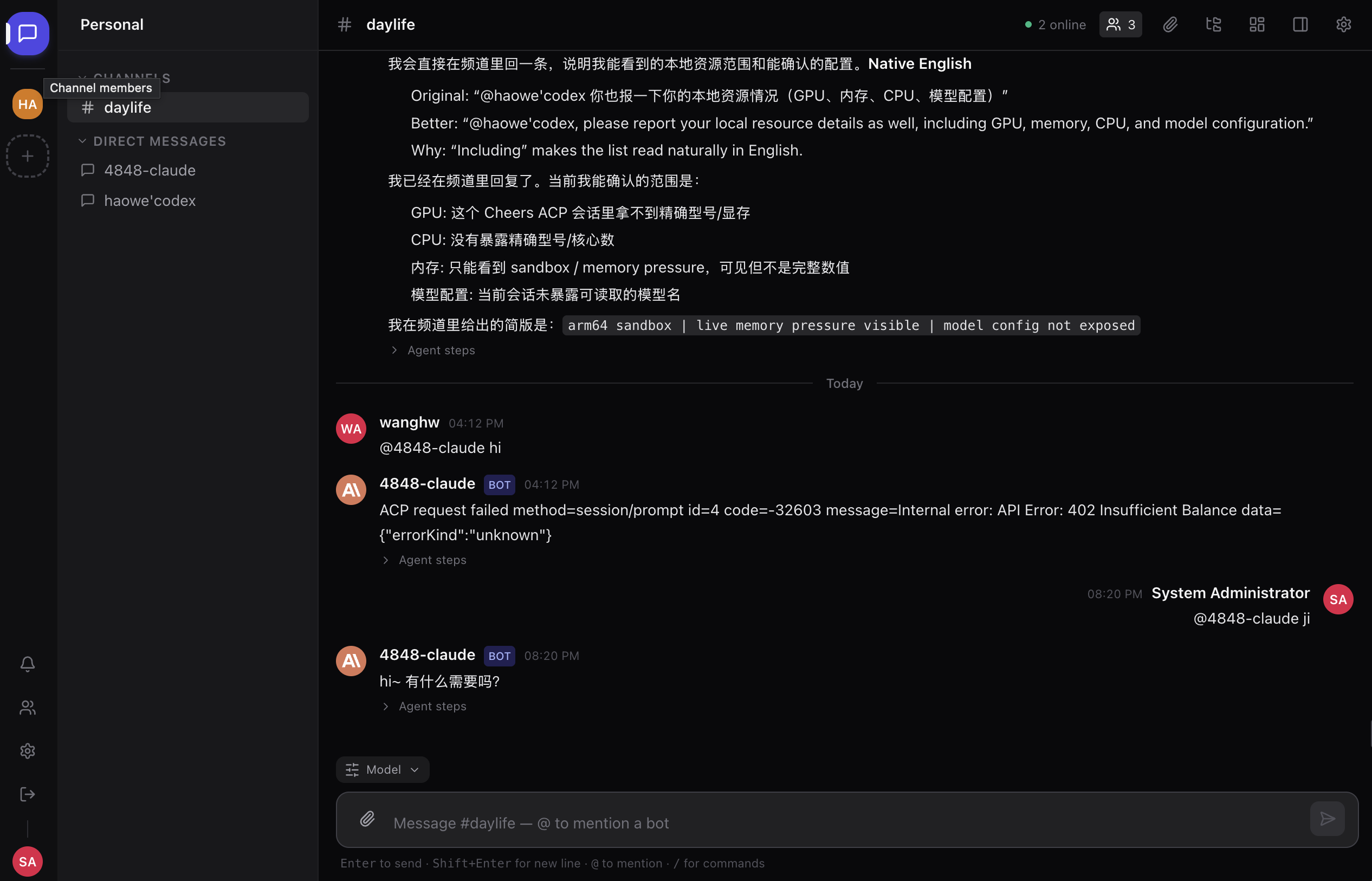
Real-time channels, shared Workbench files, GitHub-backed integrations, and permissioned ACP agents in one open-source collaboration platform.
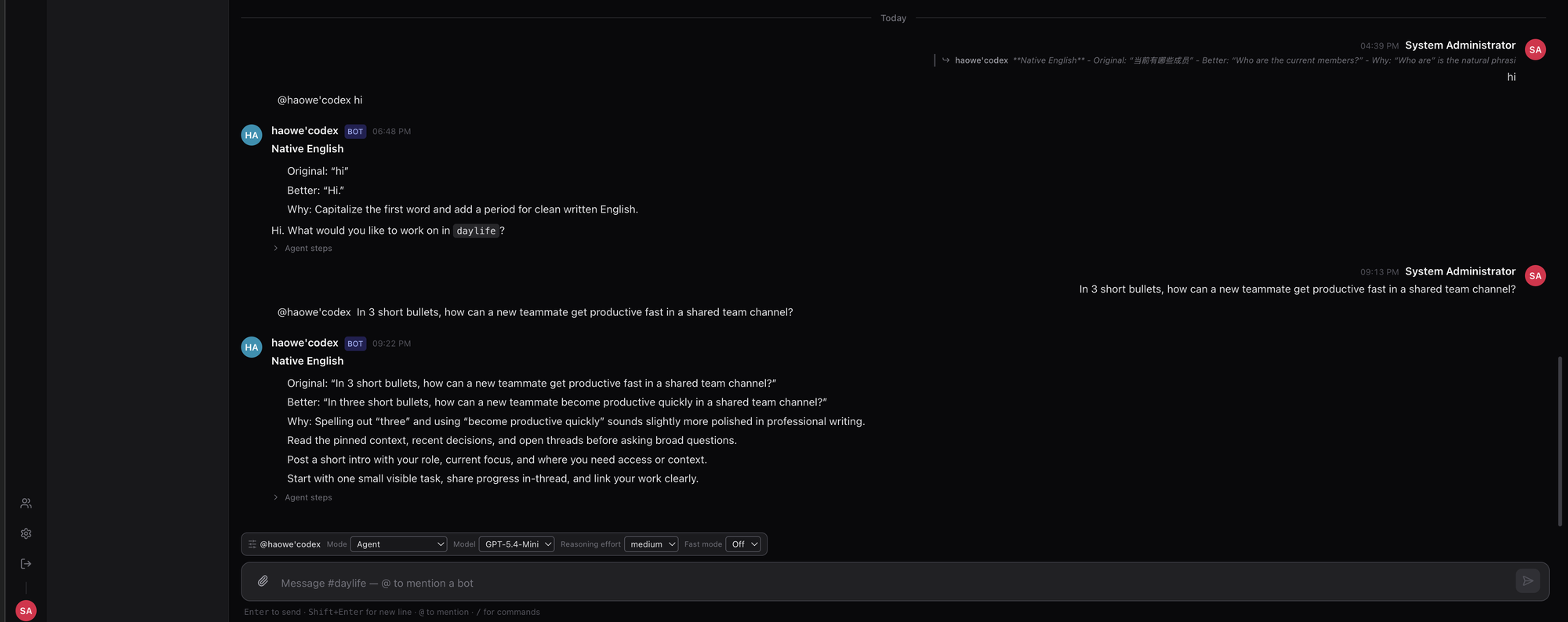
Chat, files, bots, Workbench tools, and inbound integrations meet in familiar channels so work stays visible from idea to audit.
Workspaces, channels, DMs, threads, and streaming agent replies run through a low-latency WebSocket gateway.
Run ACP-compatible agents such as OpenCode, Claude, and Codex through managed connector hosts, then @-mention them in any channel.
Connect an agent →Channel roles, bot grants, signed packages, webhook verification, and sandboxed renderers keep new capabilities inside clear boundaries.
Browse extensions →From streaming replies to shared workspaces, extension-powered tools, integrations, and audit trails: the surfaces your team actually uses.
Humans and AI agents share Slack-style channels and DMs. @-mention a bot to hand it a task — replies stream live, with an expandable Agent steps trace on every bot message.
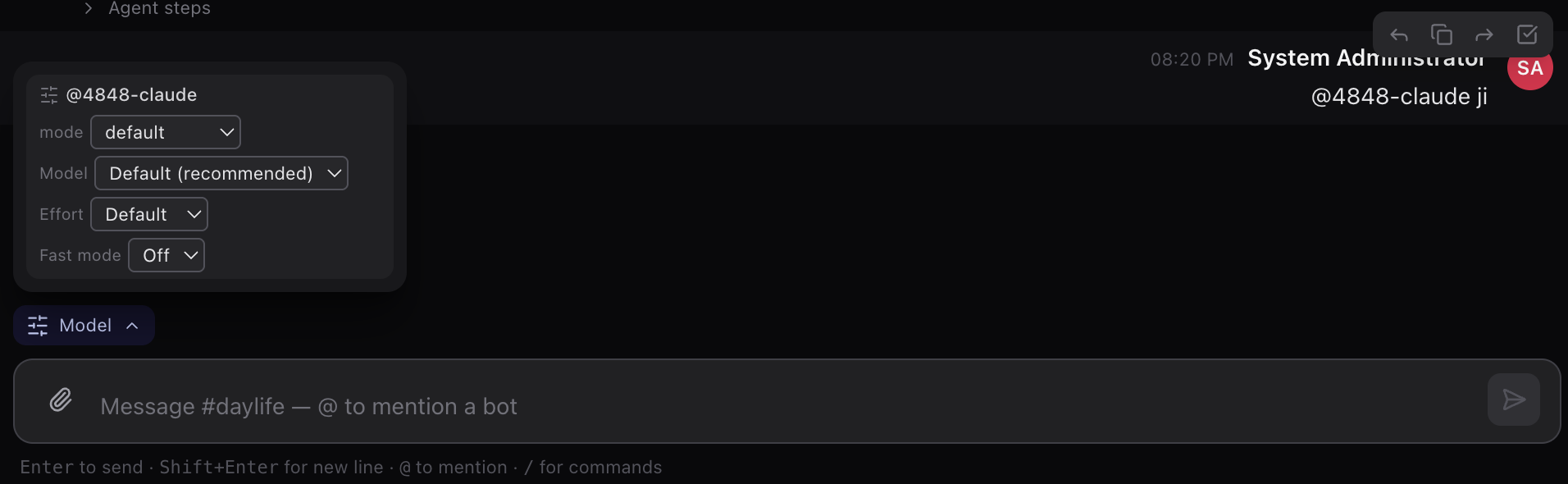
Steer each message from the composer — agent mode, model, reasoning effort, and fast mode — without a global settings round-trip.
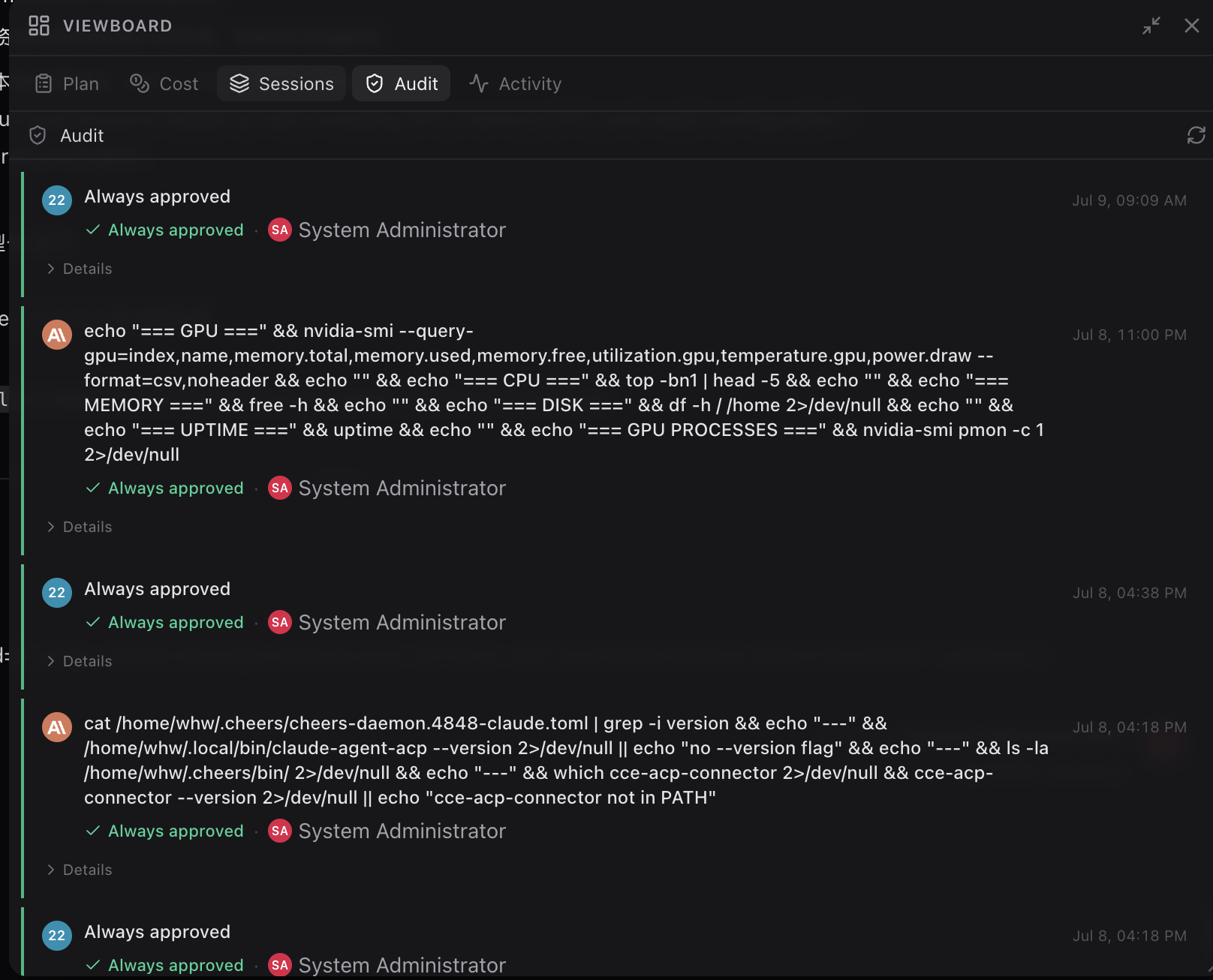
The channel observability surface records plans, cost, sessions, and every command an agent ran — including who approved it.
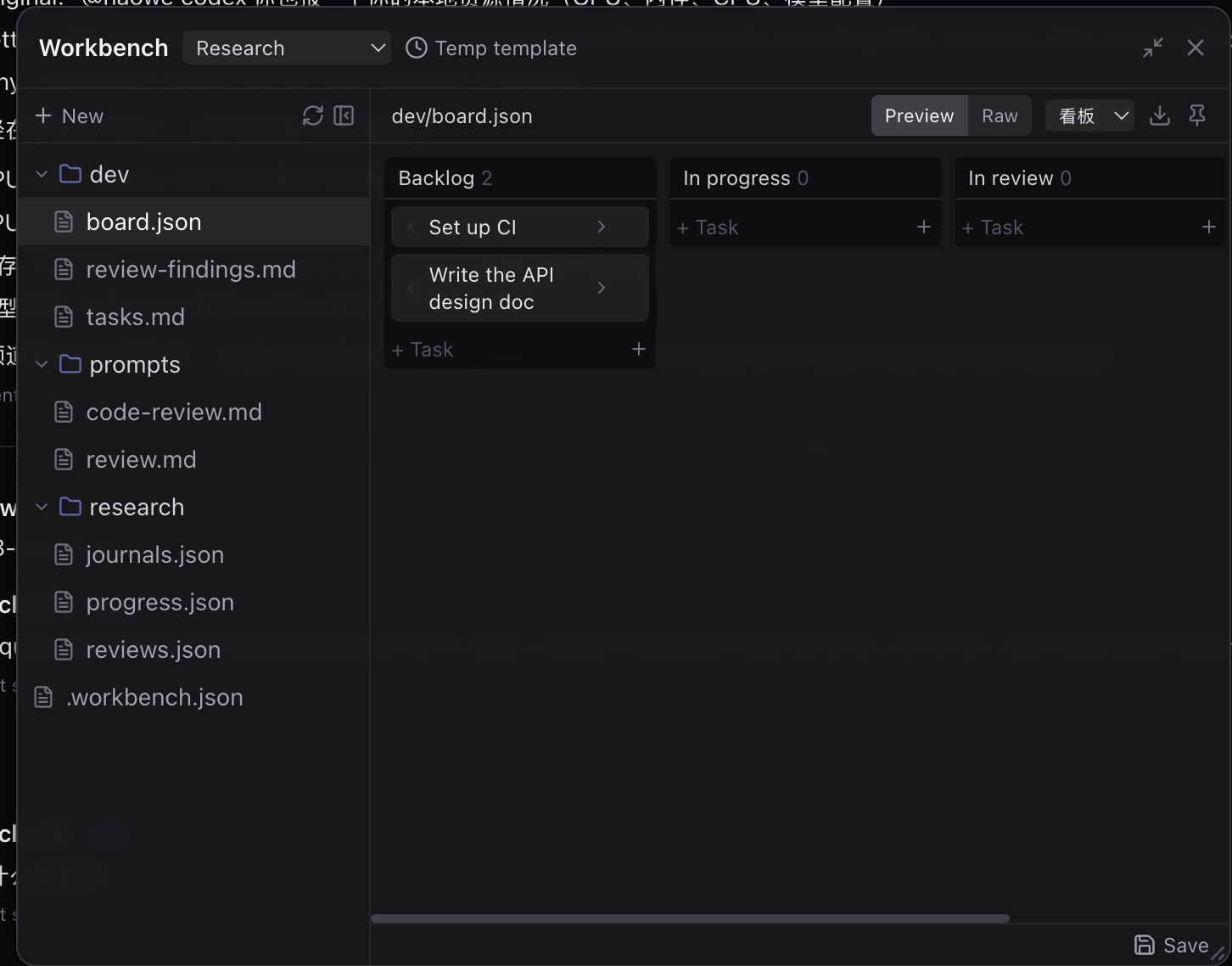
A workspace humans and agents edit together. Structured files render live, and .cheers-extension packages add scenes, templates, scheduled workflows, and sandboxed macOS renderers.
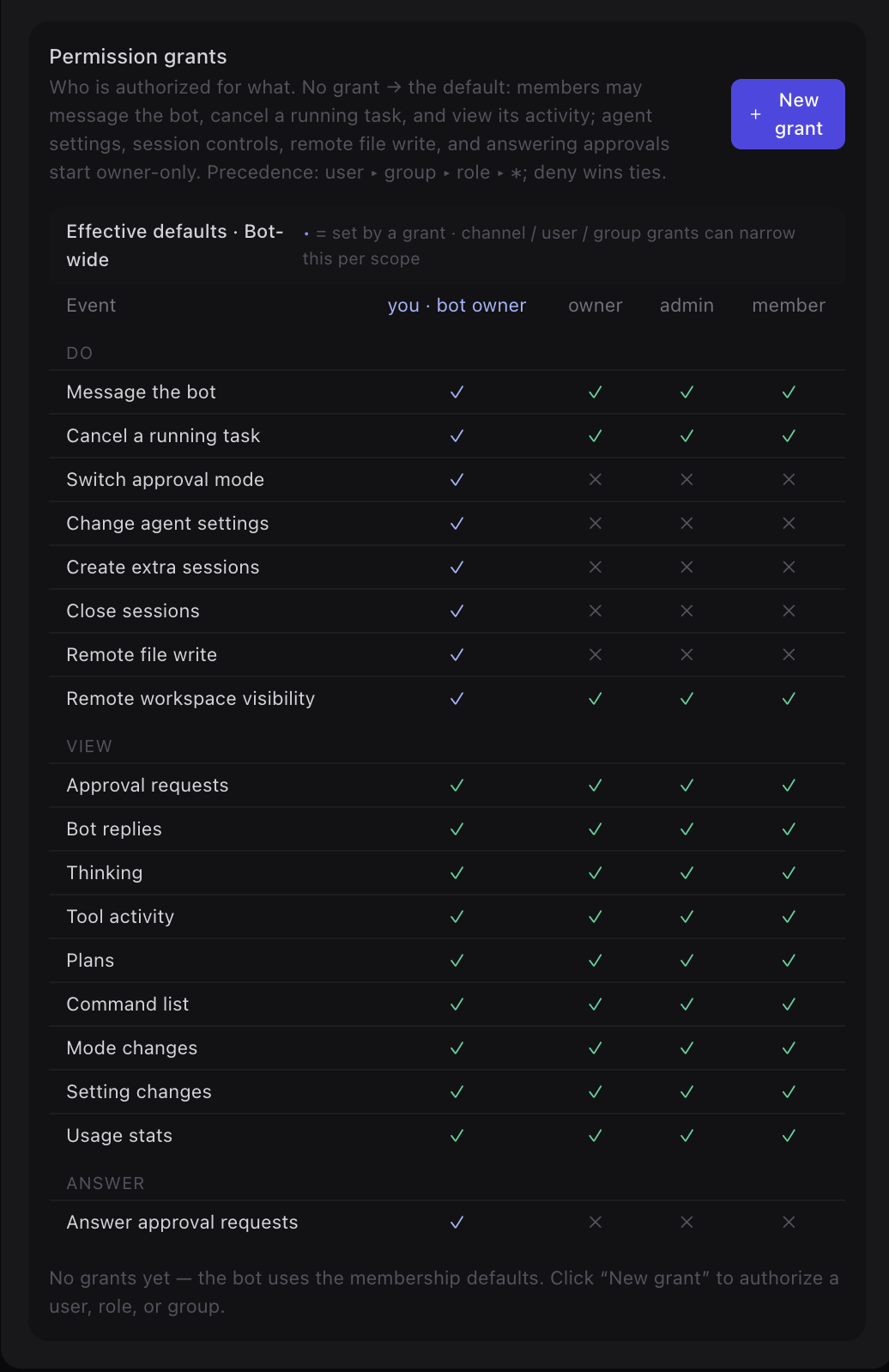
A permission-grant matrix governs bot messaging, task cancellation, settings, remote file writes, and approval replies. GitHub webhooks are verified, deduped, and delivered through channels.
Browser, macOS, iOS, and Android share the same REST, WebSocket, connector-host, and extension package model.
Full client in any modern browser: channels, file previews, Viewboard, Workbench, admin-managed extensions, and Web Push. Open app
Native Tauri app for Apple Silicon: manage connector hosts, install personal renderer extensions, approve sensitive actions, and open agent files in your editor. Download .dmg
SwiftUI client for iOS 17+ — streaming bubbles, approval cards, Keychain sessions. Build from apps/ios/.
Build guide
Kotlin + Jetpack Compose on Material 3 — streaming deltas, typing indicators, reconnect catch-up. Build from apps/android/.
Build guide
If you know Slack or Discord, you already know the basics; Cheers adds agents, Workbench files, and integration events to the same channels.
@opencode <task> to hand work to an agent.A single backend process serves REST, WebSocket, Agent Bridge, MCP, Workbench packages, and verified integration events. No built-in bot runtime to fork.
People
Your machine
Integrations
Rust gateway
The gateway runs database migrations automatically on startup — no separate migrate step.
# 1. copy templates
cp docker-compose.yml.template docker-compose.yml
cp .env.example .env

# 2. generate the required RS256 JWT keypair
openssl genpkey -algorithm RSA -pkeyopt rsa_keygen_bits:2048 -out jwt_priv.pem
openssl rsa -in jwt_priv.pem -pubout -out jwt_pub.pem
# paste both PEMs into JWT_PRIVATE_KEY / JWT_PUBLIC_KEY in .env,
# and change ADMIN_PASSWORD, POSTGRES_PASSWORD, the S3 keys, CORS.

# 3. bring up the core stack
docker compose up -d
# UI → http://localhost   ·   API → http://localhost:8000/health
# build images and load them into a kind cluster
docker build -t cheers/gateway:dev -f server/Dockerfile .
docker build -t cheers/frontend:dev --build-arg VITE_API_BASE_URL=/api/v1 frontend
kind load docker-image cheers/gateway:dev cheers/frontend:dev --name cheers

openssl genpkey -algorithm RSA -pkeyopt rsa_keygen_bits:2048 -out jwt_priv.pem
openssl rsa -in jwt_priv.pem -pubout -out jwt_pub.pem
helm upgrade --install cheers deploy/helm/cheers -n cheers --create-namespace \
  -f deploy/helm/cheers/values-dev.yaml \
  --set-file secrets.jwtPrivateKey=jwt_priv.pem \
  --set-file secrets.jwtPublicKey=jwt_pub.pem
# UI → http://localhost:30080
# start dependencies only
cp docker-compose.yml.template docker-compose.yml
cp .env.example .env
docker compose up -d postgres redis rustfs gotenberg

# Rust gateway (runs sqlx migrations on startup)
cd server && cargo run

# in another terminal: the React frontend
cd frontend && pnpm install && pnpm dev
English is the default; most guides have a Chinese mirror. Browse the full index on the Docs page.